
Paid Online Consultations for Beginners: How to Package Your Service, Price It, and Manage Bookings Without a Website

Starting paid online consultations doesn’t require a full website, a complicated checkout, or a custom booking system. In 2026, you can run a professional setup with three building blocks: a clear offer written in plain language, a pricing structure that reduces back-and-forth, and a booking link that only shows slots you actually want to sell. The goal is straightforward: a client understands the service in one read, pays in one step, books in one step, and you show up prepared.
Define the service so clients know what they’re buying
Begin with one core session you can deliver confidently: a 45–60 minute call with a specific outcome. Instead of selling “consulting”, sell a result such as “CV review with rewritten bullet points”, “ad account audit with a fix list”, “a 30-day personal finance plan”, or “a weekly planning setup in Notion”. A beginner-friendly offer is narrow, measurable, and easy to explain in two minutes.
Write your service as a short, copy-and-paste card you can share anywhere: who it’s for, what happens during the call, what the client receives afterwards, and what you won’t cover. Include boundaries that prevent misunderstandings, for example “one topic per session”, “no emergency support”, and “one follow-up message within 48 hours” only if you can realistically deliver it.
To keep sessions focused, add a lightweight intake step. A single form with 5–8 questions is enough: the client’s goal, current situation, relevant links/files, key constraints, and the one decision they want to make after the call. This reduces “tell me everything” calls and helps you spot poor-fit requests before you accept payment.
Turn the service into a repeatable workflow
A simple workflow can be built around three links: a booking link, a payment link, and an intake form link. If you want to keep it even cleaner, send the form link only after booking and include a short checklist of what to prepare. The client experience still feels organised, even without a website.
For scheduling, use the calendar system you already rely on. Most modern calendar tools allow you to share a booking page that shows your available times, applies buffers, and automatically adds the appointment to your calendar. This reduces back-and-forth and prevents double booking.
Use time zones carefully. Even if you mostly work in one region, clients may travel or live elsewhere. A good booking flow always displays the session time in the client’s local time zone, includes the meeting link, and clarifies what happens if they arrive late.
Set pricing that’s fair, clear, and easy to accept
Beginners often undercharge because they price “time” rather than “outcome plus preparation”. A practical starting method is to calculate delivery time realistically: short prep (for example 10–20 minutes), the call itself, and a brief follow-up. Set a fixed price that covers the full delivery, not just the minutes on the call.
Keep the menu small: one core session, one longer deep-dive (75–90 minutes) for complex cases, and one bundle of three sessions for clients who need implementation support. Bundles work best when each session has a clear role: diagnosis, action plan, and review. That structure makes the value obvious and reduces “can we add one more thing?” conversations.
State your policies in plain language: how far in advance clients can reschedule for free, what happens in case of a no-show, and when refunds are available. The point isn’t to sound strict; it’s to avoid awkward disputes and protect your schedule when life happens on either side.
Collect payment without building checkout pages
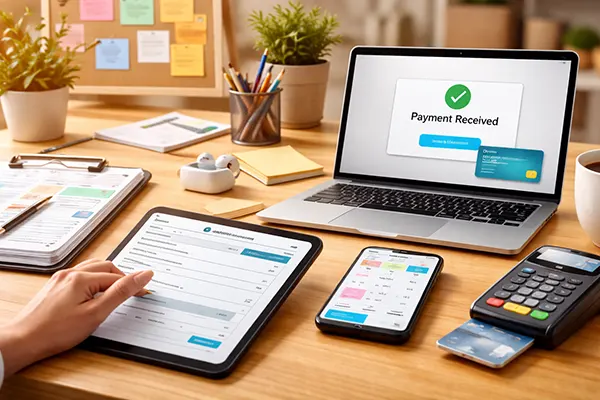
Payment links are the fastest way to get paid without building anything. You create a fixed-price link for a session, send it to the client, and they pay by card through a hosted checkout. This is often easier for clients than invoices, especially for first-time buyers who want a simple, familiar payment flow.
The cleanest process is: client books → client pays → confirmation is sent automatically. If your scheduling tool can require payment at the time of booking, it reduces no-shows and removes the need to chase payments. If you prefer manual control, you can reverse it: payment first, then you send the booking link only after payment is received.
Keep records tidy from day one. Save receipts, track refunds, and store client files securely. Avoid collecting unnecessary personal data, and don’t ask clients to send sensitive documents through insecure channels. A simple, privacy-conscious process builds trust quickly, especially when you’re new.
Build a calendar that sells your time, not your entire week
Your calendar is part of your offer. Start with two or three fixed consultation windows each week, rather than showing every free minute. For example, you might sell calls on Tuesday evenings and Saturday mornings. This makes delivery consistent and stops your week becoming a patchwork of meetings.
Add buffers around sessions. A 10–15 minute buffer before and after helps you review the intake notes, start on time, and write the follow-up without rushing. Back-to-back calls often reduce quality and increase mistakes, which is risky when you’re building your early reputation.
Set a daily cap and protect focus time. If your work requires deep concentration, limit consultations to a number you can deliver without burnout. Use calendar blocks for admin and follow-ups so you don’t end up writing summaries late at night or forgetting details the next day.
Confirmations, reminders, and no-show prevention
A professional confirmation message includes: the date and time (with time zone), the meeting link, what to prepare, a one-sentence rescheduling rule, and a fallback contact method if the meeting link fails. This reduces anxiety for new clients and prevents last-minute confusion.
Send reminders at sensible intervals, such as 24 hours before and 1 hour before. Reminders reduce no-shows, but they also improve the client experience because people feel guided rather than left guessing. If you publish a booking link publicly, enable basic protections like email confirmation to reduce spam bookings.
After the call, send a short summary within the timeframe you promised. Keep it simple: key decisions, next actions, and any resources you mentioned. This follow-up is where beginners feel the value most, because it turns a conversation into a plan they can actually use.